


Product videos help make products more understandable, show use cases and ease purchase decisions. That's nothing new. What changes with Shopware 6.7.8.0 is less the fundamental ability to embed videos – that was already possible before, among other things via video, YouTube and Vimeo blocks in the Shopping Experiences. What's new is how consistently and practically the handling is now solved: videos are noticeably given greater prominence as their own media type in the Media Manager, including preview, background processing, cover images and a revamped video CMS element.
We took a detailed look at this – and also marked the points where practice is likely to differ from the release notes.
The most important facts at a glance
Version: Shopware 6.7.8.0 (March 2026)
Core feature: Videos as their own media type in the Media Manager
New: Background upload, cover images, revamped video CMS element
SEO bonus: Native JSON-LD support with VideoObject schema (feature flag)
Important: Mind accessibility (BFSG), file size and autoplay behavior
What exactly does Shopware 6.7.8.0 bring?
Four things that are relevant in practice:
Videos as their own media type in the Media Manager. Sounds trivial, but it isn't. Previously, video files ended up as generic uploads in the media folder, the preview was missing, reusability was limited. Now there is a preview function, and videos can be consistently reused across multiple products and CMS pages. For shops with more than a handful of videos, this makes a real difference in everyday editorial work.
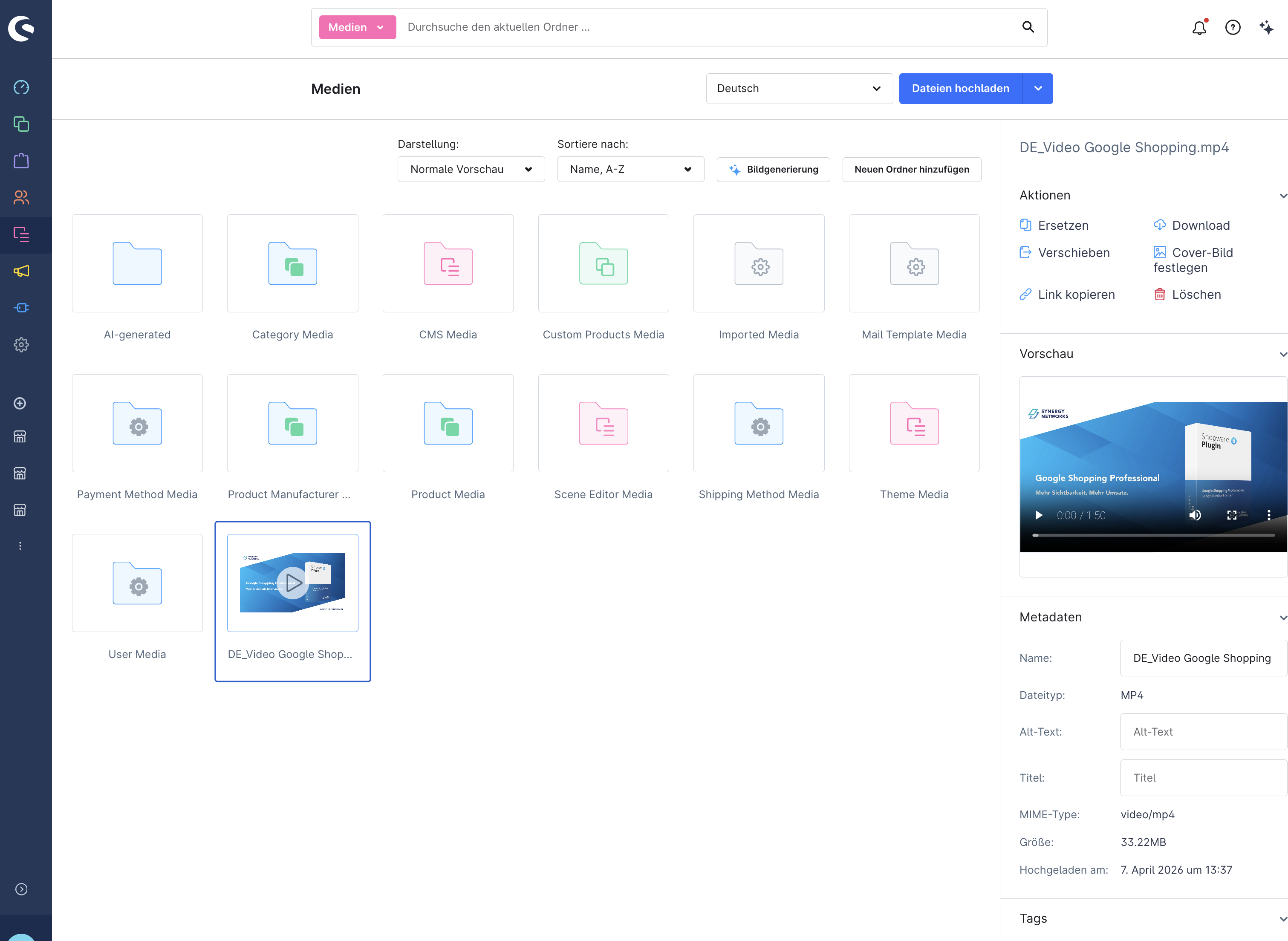
Upload in the background. You upload a video, switch to the order overview, come back – the video is there. Including a progress indicator. No more aborting when switching pages. For larger files, this is a gain that is noticeable in everyday use.
Revamped video CMS element. For 6.7.8.0, Shopware describes a video CMS element with configurable playback options: autoplay, loop, controls on/off, inline playback. Important for context: video blocks in the Shopping Experiences were already documented before 6.7.8.0. The added value lies in the more consistent configuration and the interplay with the new Media Manager handling.
Cover images via Quick Action. In the Media Manager, you assign a preview image to each video. In the storefront, the customer first sees this image – only when they click does the video start. This prevents the page from being overloaded with autostarting videos and gives you control over the first visual impression.
Where is it really worth using?
Product videos work most strongly where a static image reaches its limits. That sounds like a truism, but it's the decisive filter: not every product needs a video.
Product detail page
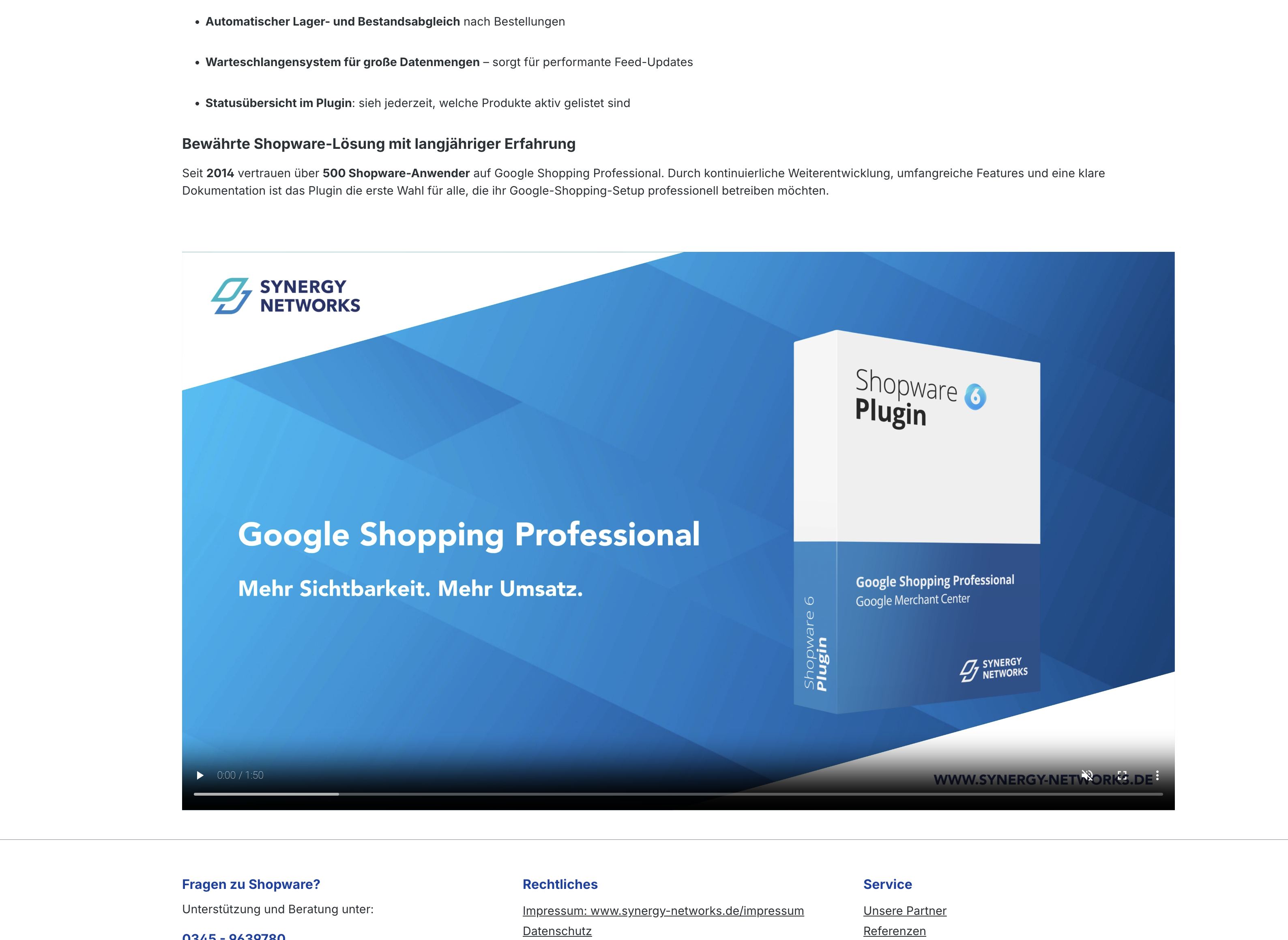
This is where the leverage is greatest. A short application video for products that need explanation, for textiles showing fabric drape and fit in motion, for technical devices with setup. 30 seconds is usually enough. Place the video below the main gallery or in a dedicated tab – not as a replacement for the images, but as a supplement. In our customer projects, we see the strongest effect with products that customers would touch or try out in a brick-and-mortar store.
Landing pages and category entry pages
A brand video in the hero area, a seasonal clip for a campaign – that works. Autoplay and loop can make sense here, but only muted. Nobody wants to be blasted with sound when opening a category page. Really nobody.
Guides and service content
Assembly videos, care instructions, setup guides – many retailers create this content anyway, it just sits on YouTube and isn't used in the shop. With the video management in 6.7.8.0, you can bundle such videos on your own CMS pages and link them via cross-selling or navigation. Reduces support requests, builds trust.
Step by step: embedding a video
The process is comparatively straightforward. Five steps, none of them particularly technical:
No. | Step | Details |
|---|---|---|
1 |
Upload video |
Upload in the Media Manager. A progress indicator runs along, you can keep working in parallel. |
2 |
Check preview |
Check quality and completeness directly in the Media Manager. |
3 |
Assign cover image |
Add a preview image via Quick Action. Without a cover, the browser often shows a black rectangle. |
4 |
Place CMS element |
Insert the video CMS element in the Shopping Experiences editor and select the video. |
5 |
Configure playback |
Set autoplay, loop and controls. Our recommendation for the PDP: controls visible, no autoplay. |
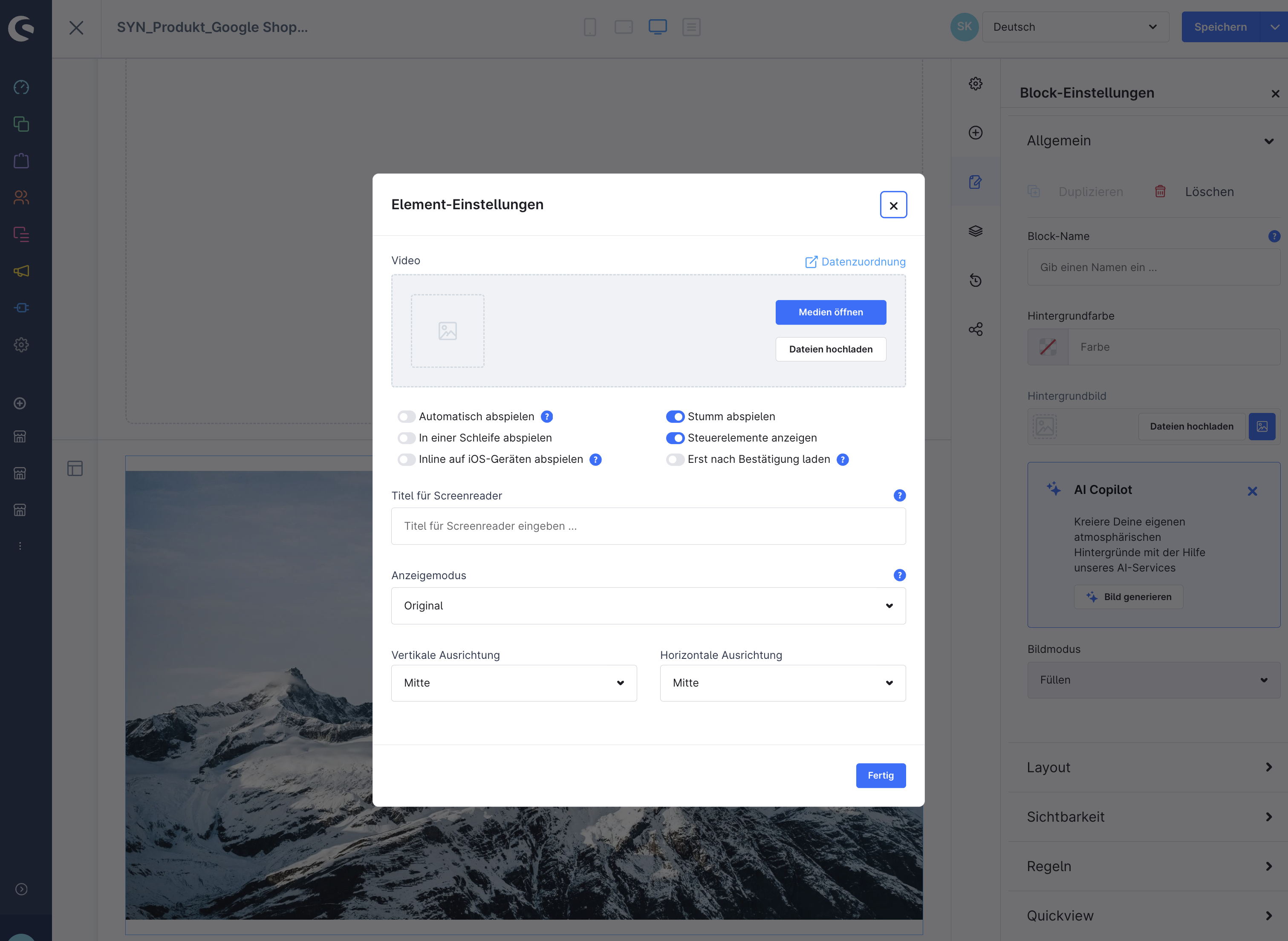
Tip: Whether autoplay actually works depends not only on Shopware, but also on the browser policies of the respective end device. Always test on real mobile devices.
Pitfalls that Shopware doesn't mention
The release notes sound the way release notes just sound – positive and seamless. In practice, there are a few points you should know.
File size and performance
The Media Manager accepts several video formats, including webm, mkv, mov, mp4, avi and wmv. That's the upload side. For the actual playback in the storefront, however, this does not automatically mean that every format runs equally reliably across browsers. In practice, MP4 with the H.264 codec is the safest choice – widely supported and well compressible.
A 30-second product video in 1080p is between 15 and 50 MB, depending on compression. With ten product videos, you quickly reach half a gigabyte. Compress before uploading – a bitrate of 8 to 12 Mbit/s is enough for product videos. Anyone who can use HandBrake or FFmpeg has an advantage here. For shops with many videos: talk to your hosting partner about CDN integration or external storage.
Practical note: The fact that Shopware relies on its own upload and management functions makes the topic of data sovereignty more attractive, but also shifts the load more heavily onto your own infrastructure. Clarify with your hosting provider whether your current environment is designed for self-hosted videos.
Mobile playback and autoplay
Autoplay is not a purely design topic, but an interplay of browser policies, device properties and HTML attributes. Chrome generally allows muted autoplay, while autoplay with sound is tied to additional conditions. For Safari on the iPhone: without the attribute playsinline, playback can switch to full-screen mode, and autoplay only works with the video muted.
The blanket statement "autoplay doesn't work on iOS" is therefore not quite true – it works under certain conditions, but not under all. In projects we have experienced that a hero video looked great on the desktop and simply didn't start on the iPhone.
Accessibility and BFSG
The German Accessibility Strengthening Act (BFSG) has applied since 28 June 2025 to relevant digital services in e-commerce. At the same time, the Federal Agency for Accessibility points out exceptions for certain micro-enterprises. The blanket statement "every shop must implement everything identically" would be too coarse – check the BFSG relevance for your specific setup.
For videos, accessibility technically means above all three things:
Requirement | Details |
|---|---|
Controllable playback |
Automatically starting audio over 3 seconds must be pausable or volume-controllable. Moving content over 5 seconds must be stoppable. |
No uncontrolled autoplay with sound |
Videos must not start automatically with audible audio. |
Captions for prerecorded videos |
For videos with audio, captions are the authoritative standard. A transcript alone is not always equivalent. Depending on the content, audio description may be required. |
The Shopware CMS element offers configurable controls – that covers the pause button. For captions, there is currently no native solution in the Shopware administration. Technically, an integration via the HTML5 <track> element with VTT files in the storefront template would be possible, but that requires a template override.
Attention: For shops with BFSG relevance and spoken video content, the topic of captions is not a nice-to-have. Plan the additional effort for VTT creation and template adjustment early.
Data protection and system boundaries
One advantage of native videos is that no embedded third-party platforms such as YouTube or Vimeo have to be loaded. No external trackers, no third-party cookies – a relevant point for GDPR-sensitive shops. At the same time, this removes the convenience of external video CDNs. Anyone using many or large videos should consciously weigh data protection, control, performance and operational effort.
Video SEO: an argument that is often overlooked
One point that doesn't appear in the release notes but is relevant for the visibility of your shop: as part of the 6.7 cycle, Shopware is building in native JSON-LD support for structured data – including VideoObject entries for product videos. The feature is controlled via a feature flag (JSON_LD_DATA), which will be available in upcoming 6.7.x versions, and will eventually replace the previous Microdata markup.
Why is this important? If Google recognizes a video on your product detail page as a VideoObject, it can appear as a video rich result in the search results – with a preview image, playback duration and play button. This measurably increases the click rate. With YouTube embeds, this was previously harder to implement because the structured data points to the external platform. With natively hosted videos, the data points directly to your shop.
Tip: Check whether the feature flag is active in your Shopware version: open a product detail page in the browser, press Ctrl+U and search for ld+json. If a block with VideoObject appears, the JSON-LD output is active.
Frequently asked questions about video management in Shopware
Which video formats does Shopware 6.7.8.0 support?
The Media Manager accepts several formats, including mp4, webm, mkv, mov, avi and wmv. For cross-browser reliable playback in the storefront, MP4 with the H.264 codec is nevertheless the best choice – other formats can cause problems depending on the browser and device.
Is video management a Commercial Edition feature?
In the official release news, the video functions are listed as a general innovation – not in the "Commercial Features" section. Features tied to a plan are normally clearly marked by Shopware in the release notes, as, for example, with Individual Pricing as part of the B2B Components in the same release. Such a marking is missing for video management.
Can I still use YouTube or Vimeo?
Yes. Shopware Shopping Experiences still contain YouTube and Vimeo blocks. The native video management in 6.7.8.0 is a more convenient alternative, not a replacement. The advantage lies in data sovereignty and the elimination of external trackers.
How large should a product video be at most?
For most use cases, 15 to 30 MB per video is sufficient. 1080p resolution is enough – 4K brings no visible added value on product detail pages, but doubles the file size. Compress at a bitrate of 8 to 12 Mbit/s.
What do I need to consider for accessibility (BFSG)?
For BFSG-relevant shops, videos should be aligned with the relevant accessibility standards. This includes controllable playback, no uncontrolled autoplay with sound, and captions for prerecorded videos with audio. The controls are covered by the Shopware CMS element. For captions, a template adjustment is currently necessary.
Does native video hosting bring SEO advantages over YouTube embeds?
Yes – in the 6.7 cycle, Shopware is building in native JSON-LD support with the VideoObject schema. This allows product videos to appear as video rich results in the search results. With YouTube embeds, the structured data points to the external platform; with native videos, to your shop.
Conclusion
Shopware 6.7.8.0 makes handling product videos significantly more practical. The real strength lies not in videos suddenly being possible for the first time – but in management, upload and playback becoming noticeably more consistent. On top of that, the JSON-LD integration brings a tangible SEO advantage that makes native videos more attractive than YouTube embeds.
Anyone wanting to use product videos in the shop should not, however, view the topic only in design terms. File size, browser behavior, hosting and accessibility ultimately decide whether the video becomes a genuine conversion lever or just a heavy media block on the page.
Would you like to use product videos in your Shopware shop?
We advise you on the technical setup, video compression and BFSG-compliant implementation.
→ Request a non-binding consultation now
Sources and further information:
- Shopware: Release News 6.7.8.0 – Updates in March 2026 – Official feature description
- Shopware GitHub: RELEASE_INFO-6.7.md – JSON-LD structured data incl. VideoObject schema
- Federal Agency for Accessibility: BFSG – Services in e-commerce
- W3C: Web Content Accessibility Guidelines (WCAG) 2.2 – Requirements for video content
- WebKit: New Video Policies for iOS – Autoplay and inline playback on Safari/iPhone
- Google Search Central: Video Structured Data (VideoObject)
Comments
No comments yet.
Write a comment